

















.svg.png?height=48&name=Zoho_CRM_(application).svg.png)






Summary: Cash application platforms solve different parts of the payment workflow. Some prevent missing invoice context, some match payments and remittance after they arrive, and others include cash application within a broader receivables platform. The right choice depends on your payment channels, accounting system, and exception complexity.
When payments arrive without clear invoice references, your team has to reconstruct the missing context from bank records, remittance emails, customer accounts, and open invoices. The work becomes harder when one payment covers several invoices, different customers pay identical amounts, or a parent company pays on behalf of a subsidiary. Until the payment is matched, the invoice remains open and the customer may continue receiving reminders despite having already paid.
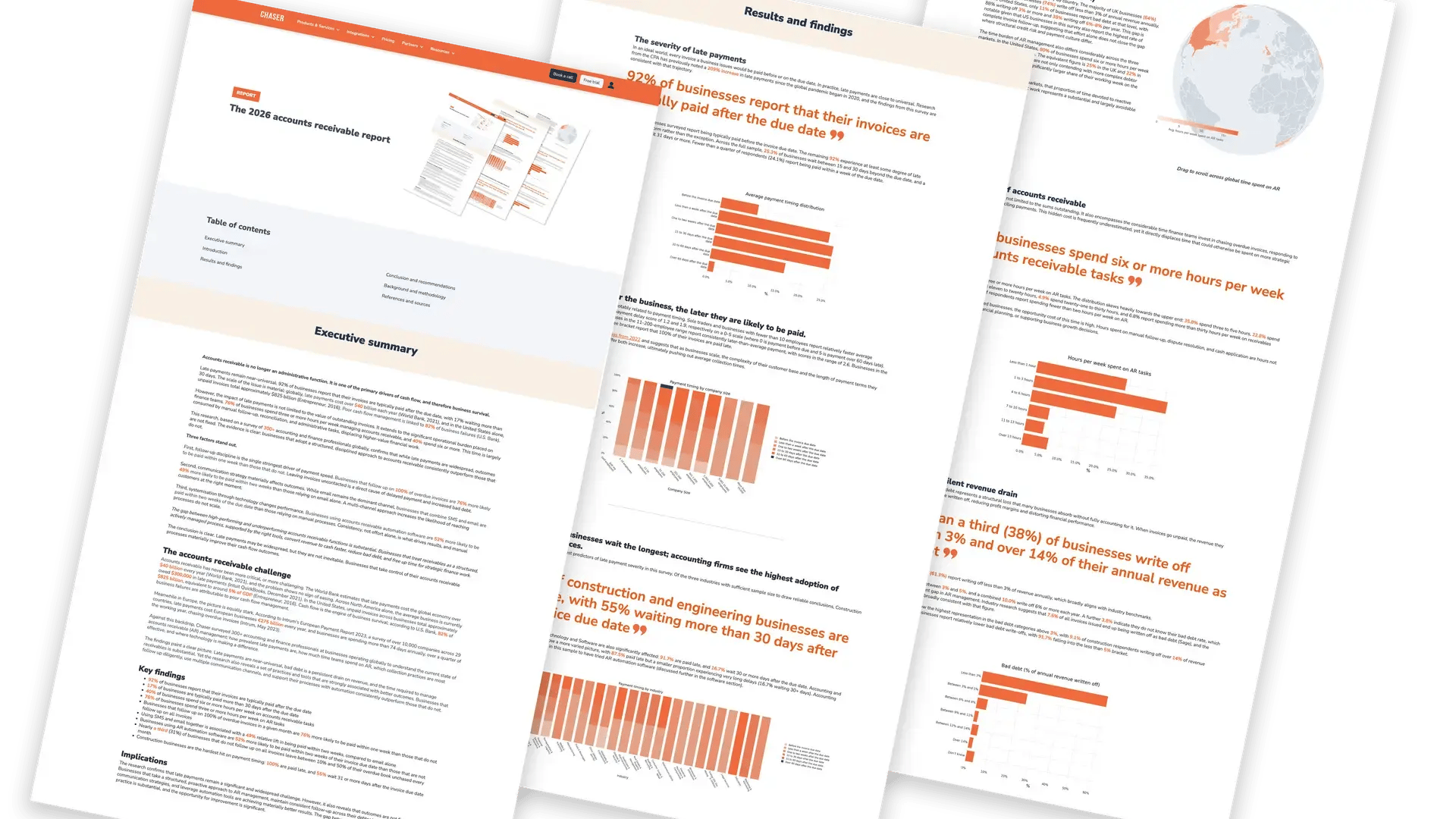
This is one part of the wider AR workload that consumes at least three hours a week for 76% of businesses surveyed in Chaser’s 2026 accounts receivable report.
Cash application platforms address the problem in different ways. Some capture invoice context before payment, some match payments and remittance after they arrive, and others manage cash application within a broader receivables platform.
This guide compares nine options based on where they intervene, the payment workflows they support, and what you should verify before choosing one.
Quick comparison
|
If your main requirement is |
Start with this approach |
Platforms to compare |
|---|---|---|
|
Preventing customers from submitting payments without clear invoice context |
Capture payment context before reconciliation is required |
Chaser |
|
Matching payments and remittance that arrive through separate channels, with exceptions managed inside the AR workflow |
Downstream matching and reconciliation |
Gaviti, Kolleno, Upflow, Versapay |
|
Processing complex or high-volume cash application across multiple systems, entities, or remittance channels |
Broader enterprise cash application |
Billtrust, Esker, HighRadius, Serrala |
The right cash application software depends on when payment context is lost
Choosing between these platforms involves identifying where payment context is breaking down in your process, working out which intervention addresses that specific breakdown, and confirming the platform supports the systems, channels, and exceptions your team already handles, since a good match on paper can still fail against your actual remittance mix.
Identify whether you need prevention, matching, or wider receivables coverage
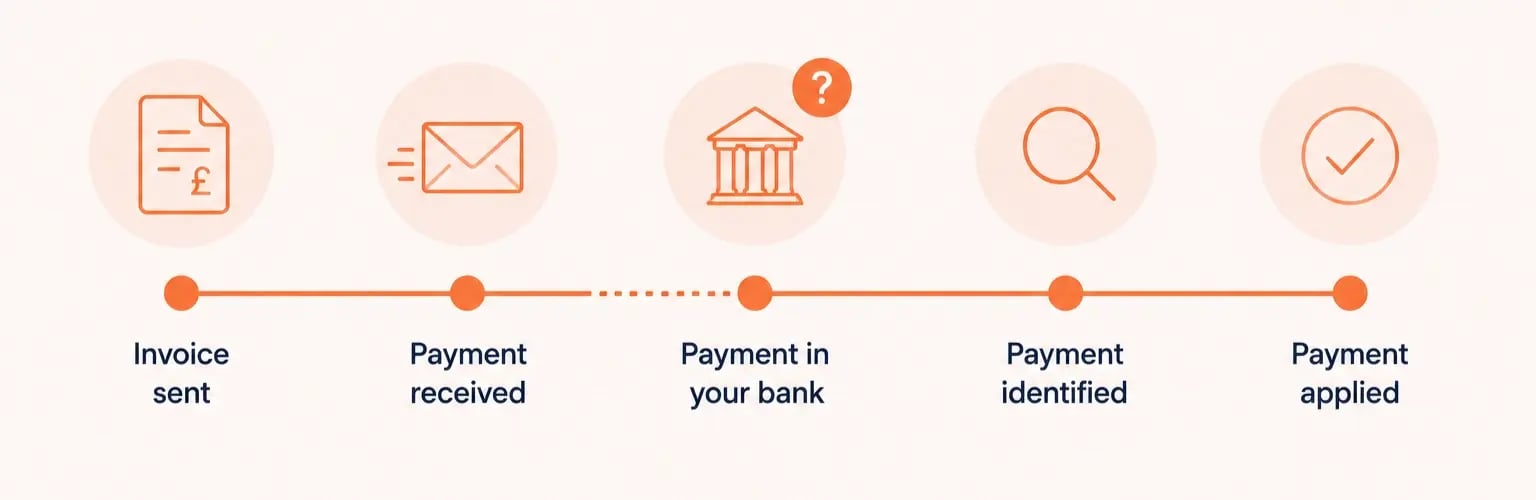
- Prevent ambiguity upstream: appropriate when customers submit payments without clearly identifying which invoices they cover. Look for invoice selection at the point of payment, customer payment portals, payment plans, and remittance context captured directly from the customer rather than reconstructed afterwards.
- Match payments downstream: appropriate when payments and remittance arrive separately through email, PDFs, bank files, EDI, lockboxes, or AP portals. Look for extraction quality, matching logic, exception handling, and automatic posting back to the accounting system.
- Manage cash application within a broader receivables platform: appropriate when matching is one requirement among several, alongside invoicing, payments, collections, deductions, credit, or multi-entity receivables management.
Any prevention-based or portal-based approach, whether that is Chaser's payment portal, Gaviti's or Kolleno's portals, or Versapay's own-network reconciliation, only removes ambiguity for the share of payments that actually flows through it.
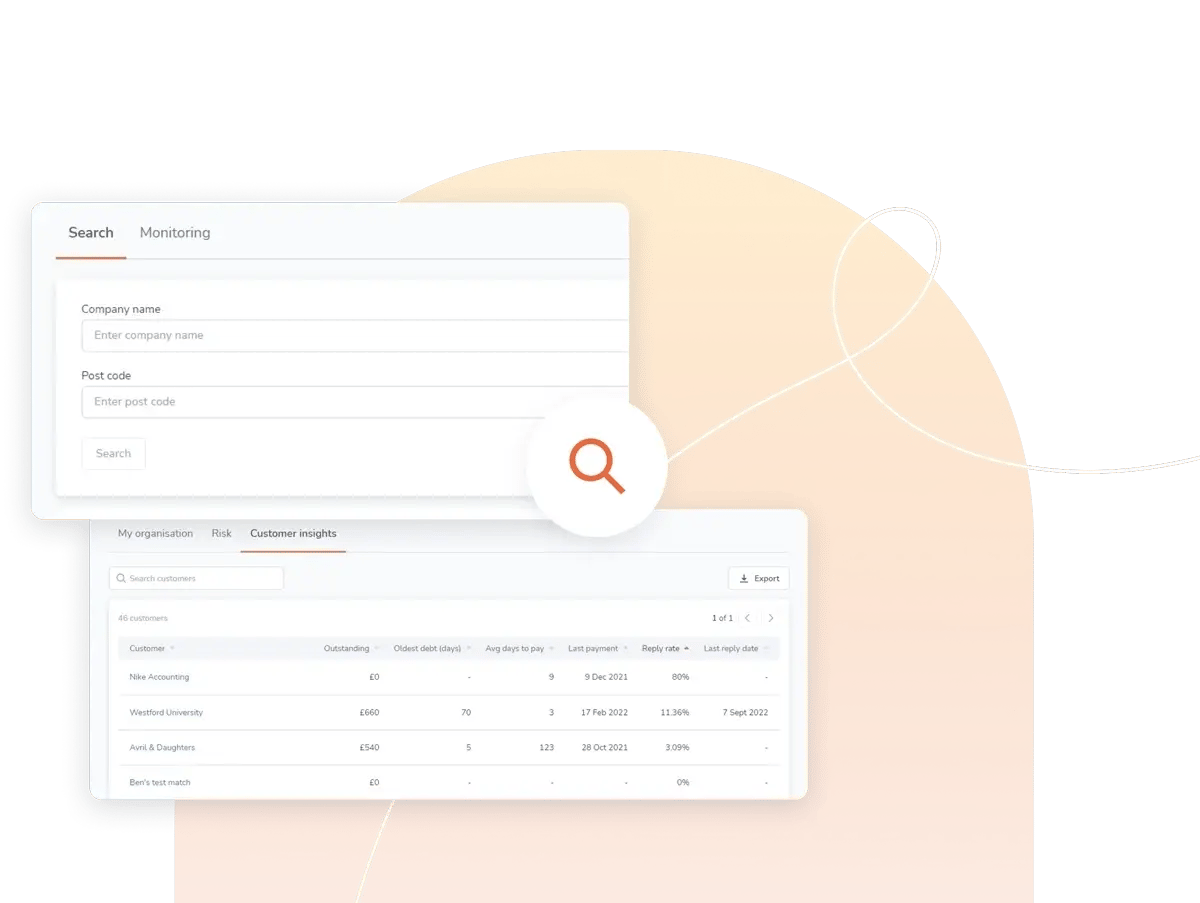
A one-off payer, a customer locked into their own procurement process, or an account that simply prefers a bank transfer will still generate a payment that needs traditional matching, regardless of which vendor's portal sits in front of them. The real question when evaluating any of these platforms is what share of your volume a portal can realistically capture.
For a closer look at what automating the cash application process actually involves end-to-end, and why prevention and matching solve different halves of the same problem, the Chaser walkthrough is a useful next read before shortlisting.
Confirm that the platform fits your existing payment workflow
Once the right approach is clear, five points determine whether a specific platform holds up inside your actual payment operation:
- Payment and remittance channels: Channel coverage determines whether the platform receives enough information to make the match at all. A tool can support bank files cleanly and still leave the team retrieving remittance from email or AP portals by hand. Inventory the channels your customers actually use, then ask the vendor to demonstrate ingestion from the most difficult one, not the easiest.
- ERP and accounting-system behavior: Recognizing a match inside the tool is not enough if the payment does not update the ledger and chasing queue correctly. One-way sync can leave paid invoices looking open and trigger reminders that damage trust with a customer who already paid. Ask the vendor to demonstrate how payments, credits, and corrections move in both directions.
- Payment and exception complexity: A headline automation rate often reflects straightforward, single-invoice payments and says little about the cases that consume your team's time. Partial payments, lump sums, deductions, and parent-subsidiary payments determine the remaining manual workload. Ask the vendor to demonstrate representative difficult cases, not a clean one-invoice example.
- Unmatched-payment workflow: Every platform will encounter payments it cannot match confidently. What matters is what happens next: whether the system offers evidence-based suggestions, records the human decision, and assigns clear ownership, so the exception does not disappear into a spreadsheet or a shared inbox. A vendor whose exceptions route to a named owner with an aging clock attached is a stronger signal than one where a manager reviews a shared queue when time allows. Ask to see the complete exception workflow, start to finish.
- Automation and match-rate measurement: Invoice-level, item-level, envelope-level, touchless, and human-assisted rates measure different things, so two vendors can publish a same-looking percentage for very different amounts of work. A high rate also says nothing about how often a payment is matched confidently to the wrong invoice rather than left unmatched for review, which is the costlier failure since it corrupts a customer's statement silently. Ask what the denominator is, what the false-positive rate is, and how a misapplied payment gets caught and reversed.
The 9 best cash application software platforms for different payment-matching needs
Methodology note
This comparison assessed each platform’s cash application approach, payment and remittance coverage, accounting-system fit, exception handling, pricing model, and customer feedback. Product claims come from official vendor documentation, while ratings and review findings come from G2 pages checked in August 2026. This comparison does not represent hands-on product testing. Automation and match-rate figures are treated as vendor-stated unless the vendor publishes enough information to verify how they were calculated.
1. Chaser
Best for finance teams that want to capture invoice context at payment and connect it with collections activity.
|
Approach |
Prevent payment ambiguity upstream |
|---|---|
|
Strongest fit |
Payments routed through a customer payment portal |
|
Accounting fit |
Xero, QuickBooks Online, specific Sage products, Microsoft Dynamics 365 Business Central, and other confirmed integrations |
Chaser’s cash application tool is best for teams whose cash application problem starts before reconciliation, at the point where a customer's payment arrives without enough information to apply it.
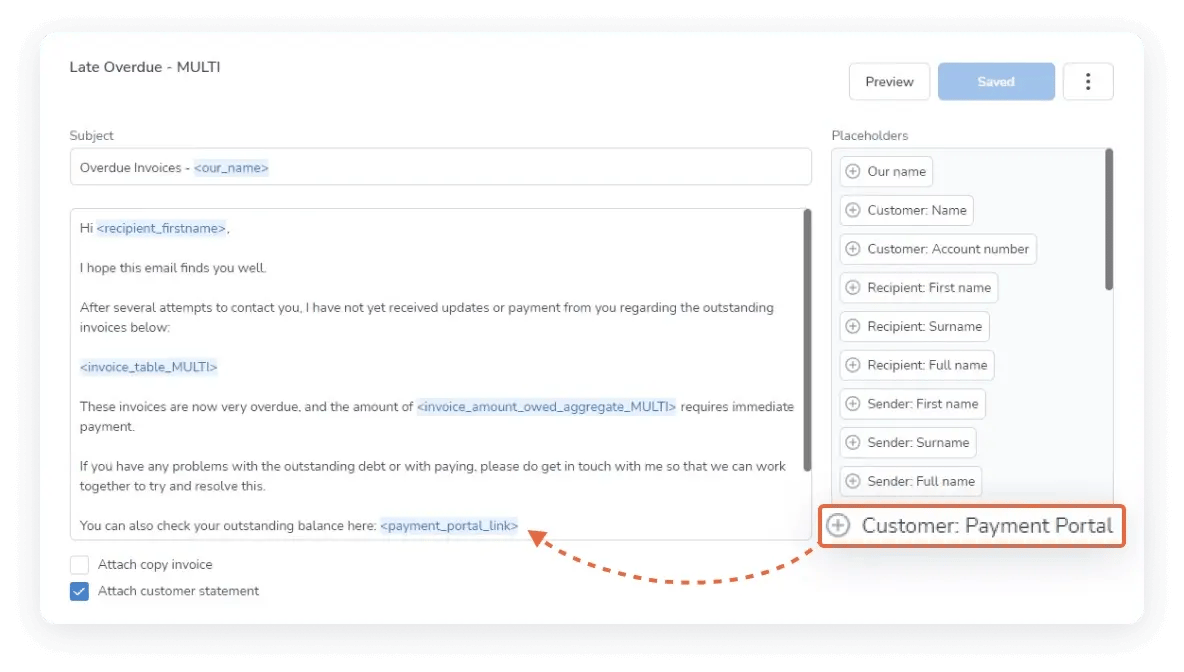
Rather than inferring which invoices a payment covers after it lands, the Payment Portal requires customers to select the specific invoices they are paying as part of the payment flow itself. That selection generates remittance data automatically, so the payment arrives with the context already attached instead of your team reconstructing it from an email thread or a phone call afterwards.
For businesses managing instalment arrangements, payment plans extend the same principle to partial and staged payments, tracking what has been agreed and what remains outstanding without a separate manual process.
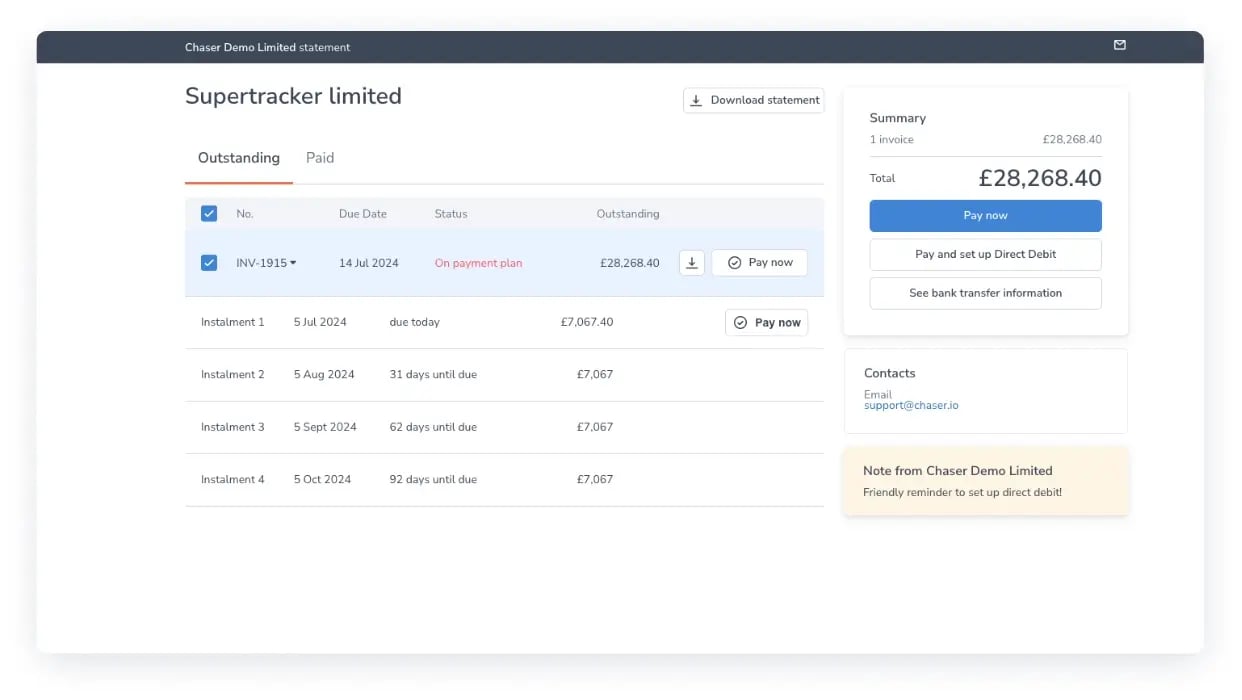
Once a payment is captured through the portal, two-way sync with your connected accounting system marks the corresponding invoices as paid automatically. Those integrations cover Xero, QuickBooks, the Sage range including 50, 200, X3, Accounting, and Intacct, Microsoft Dynamics 365 Business Central, and several others, so payment status updates the ledger without a CSV export or a manual re-entry step.
The Community Energy Scheme, for example, now has roughly £18,000 GBP a month arriving through the portal and syncing automatically into Sage 200. That connection between collections, payments, and accounting-system status is also what feeds the platform's cash flow forecasting, so your team can see what has been chased, what has been paid, and what is expected next in one place.
.webp?width=1179&height=671&name=westford%20university%20(1).webp)
No automated reconciliation engine sits behind this, so payments arriving outside the portal, through unstructured emails, lockbox files, or AP portals the platform does not control, still need traditional matching, particularly from a one-off payer or a customer locked into their own procurement process.
If your volume runs through many one-off payers and inconsistent, high-complexity channels, or you need AI-driven matching across bank files, EDI, and AP portals at real scale, a platform built specifically for downstream matching, such as several of the options below, is likely to fit better.
A 4.3 out of 5 rating from around 70 reviews on G2 (August 2026) reflects that trade-off in practice, with reviewers most often citing ease of setup and integration reliability.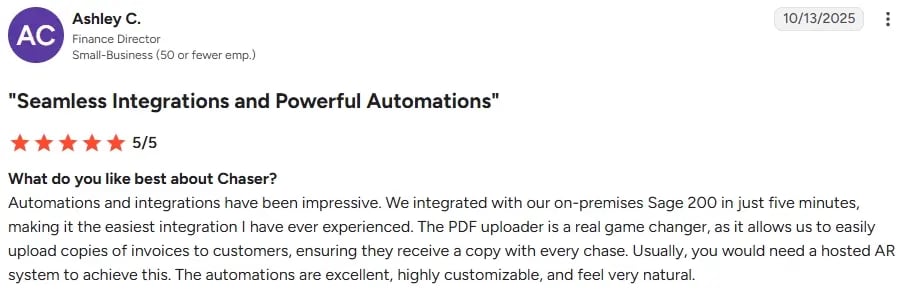
Book a demo to see how Chaser's payment portal reduces unmatched payments before they reach your books.
Book a demo2. Billtrust
Best for mid-market and enterprise companies whose primary cash application challenge is matching a high volume of payments arriving through many different channels and AP portals.
Billtrust’s cash application runs on its Business Payments Network. It processes payments made by ACH, wire transfer, card, and check. It also captures remittance from emails, file attachments, and supported AP portals.
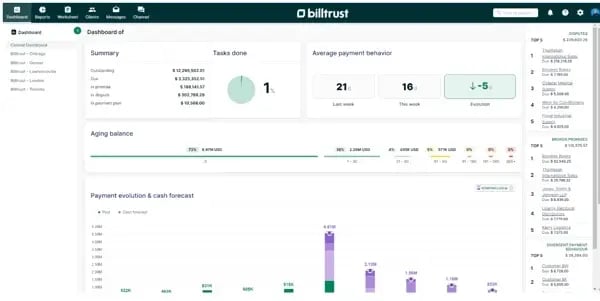
Its Digital Lockbox brings together payments and remittance that arrive through different channels. Billtrust can then match the payment to the relevant invoices before posting the result to the ERP. Cash application sits within a wider platform that also covers invoicing, payments, and collections. Confirmed ERP connections include SAP and NetSuite.
Pricing is quote-based and varies with transaction volume and requirements. The platform is designed for businesses managing complex payments across multiple channels. Teams with simpler payment workflows should establish whether they need that breadth before shortlisting it.
Ask Billtrust to demonstrate a difficult multi-invoice payment using a partial reference from your own remittance mix. Then ask what its published match rate measures. Confirm whether it is calculated at envelope or line-item level, whether human-assisted matches are included, and which measurement period it covers.
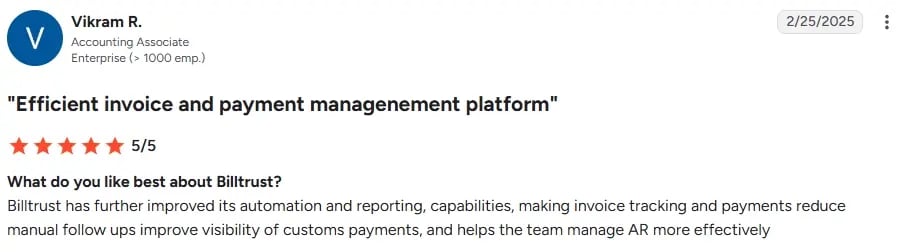
Billtrust holds a 4.4 out of 5 rating from 511 reviews on G2 (August 2026) and has been recognized as a G2 category leader for AR automation software across multiple consecutive quarters, with reviewers most often citing ERP integration and day-to-day reliability.
3. Esker
Best for multinational businesses running document-heavy, multi-format remittance across SAP and other ERPs.
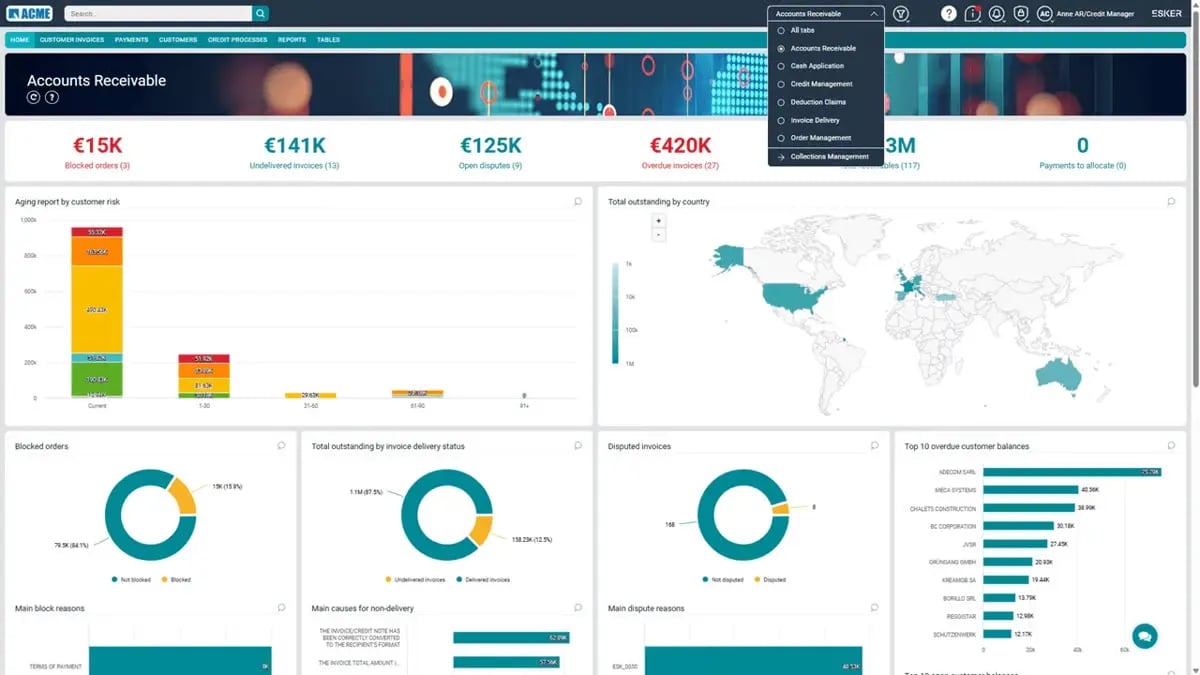
Esker's cash application uses its Synergy AI engine to extract data from remittance advices and payment files and match them automatically to open invoices, learning from manual corrections as it goes. Configurable rules handle repeatable exceptions such as early-payment discounts, underpayments, and withheld tax, and a dedicated exception workspace surfaces whatever the engine cannot resolve on its own for review.
A pre-built connector supports SAP directly, and the platform connects to other major ERPs through web services, with e-invoicing compliance across a wide range of countries as part of its broader order-to-cash suite.
Cash application sits alongside credit management, invoice delivery, and collections inside Esker's broader order-to-cash suite, so a team already running Esker for invoicing or collections can add matching without introducing a separate vendor relationship. For a business outside SAP environments and without a multi-country invoicing requirement, a lighter-weight matching tool may reach the same outcome with less implementation overhead.
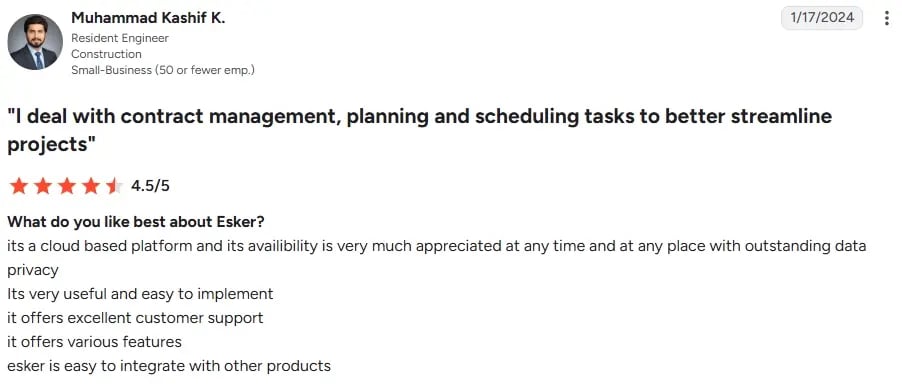
Esker holds a 4.2 out of 5 rating from 31 reviews on G2 (August 2026), with users highlighting integration reliability and support responsiveness; reporting depth for management-level metrics comes up more often as a limitation.
4. Gaviti
Best for mid-market and enterprise B2B teams that want a modular invoice-to-cash platform where cash application sits alongside configurable collections and dispute management.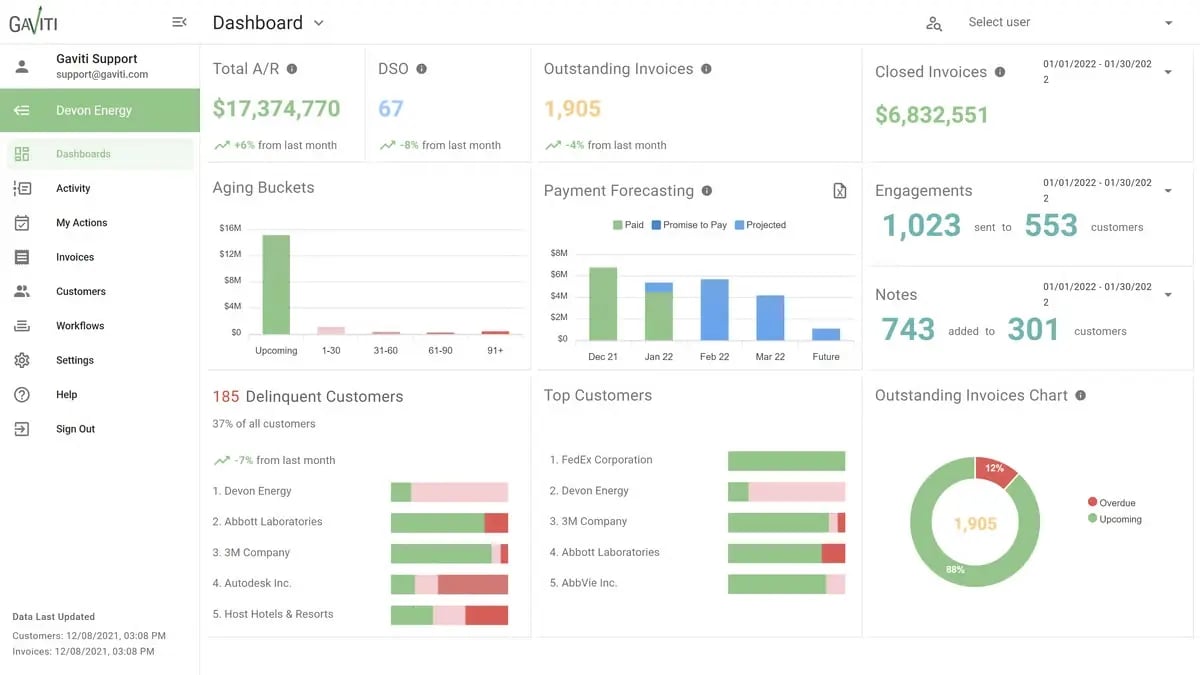
Gaviti uses AI-based matching to apply incoming payments to open invoices. Cash application is one of four selectable modules, alongside collections, credit, and dispute management. This modular structure means teams can choose the capabilities relevant to their receivables workflow.
Its payment portal supports ACH payments without transaction fees, subject to Gaviti’s eligibility conditions. Gaviti lists integrations with NetSuite, SAP, Microsoft Dynamics 365 Business Central, Sage Intacct, and QuickBooks. The platform works alongside the existing ERP rather than replacing it.
Cash application shares the platform with dashboards for aging, cash flow, and collector performance. This makes Gaviti relevant when payment matching and receivables visibility form part of the same buying decision. Ask Gaviti to demonstrate the configuration required for your ERP, payment channels, and exception workflow before estimating implementation effort.
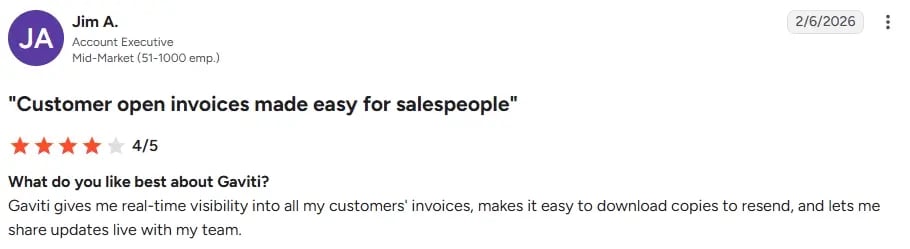
As of August 2026, Gaviti held a 4.4 out of 5 rating across approximately 190 G2 reviews. Confirm the rating and review count before publication, and link to the correct G2 product page. Retain any synthesized strengths or limitations only if they can be traced to a documented review analysis.
5. HighRadius
Best for large enterprises processing high volumes of cash application across multiple entities, ERPs, and remittance channels.
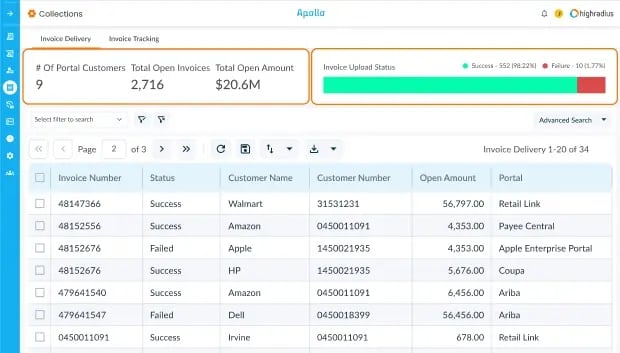
HighRadius structures its cash application around a set of specialized AI agents. One extracts remittance from email attachments and unstructured email bodies. Another logs into customer AP portals, which the company states number 600 or more, to retrieve remittance files.
A separate agent links payments and remittance that arrive through different channels, and a posting agent transmits matched data back to the ERP in formats including BAI2, EDI, and CSV. Supported bank statement formats include BAI2, MT940, and CAMT alongside standard CSV, with confirmed integrations across SAP, Oracle, NetSuite, and Microsoft Dynamics.
Ask HighRadius to demonstrate the AP-portal agent against a portal your own customers actually use, and ask what its stated automation percentage counts before using it to compare against another vendor's figure.
Implementation is measured in months rather than weeks and assumes a dedicated finance-systems resource throughout, so the investment case is clearest for a team where cash application already consumes meaningful headcount.
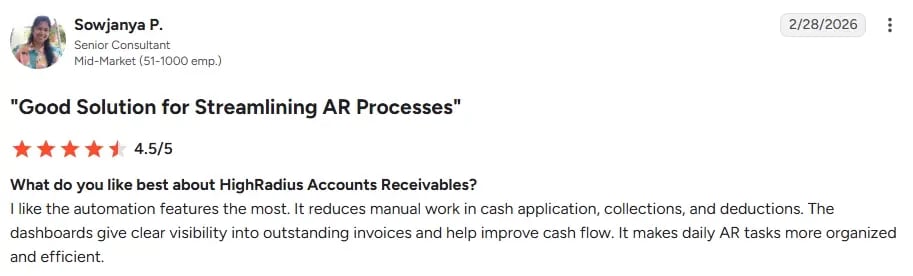
HighRadius holds a 4.3 out of 5 rating from more than 237 reviews on G2 (August 2026), with users citing automation depth as a strength and implementation timeline as the most common source of friction.
6. Kolleno
Best for mid-market teams that want collections automation and payment reconciliation built into the same workflow.
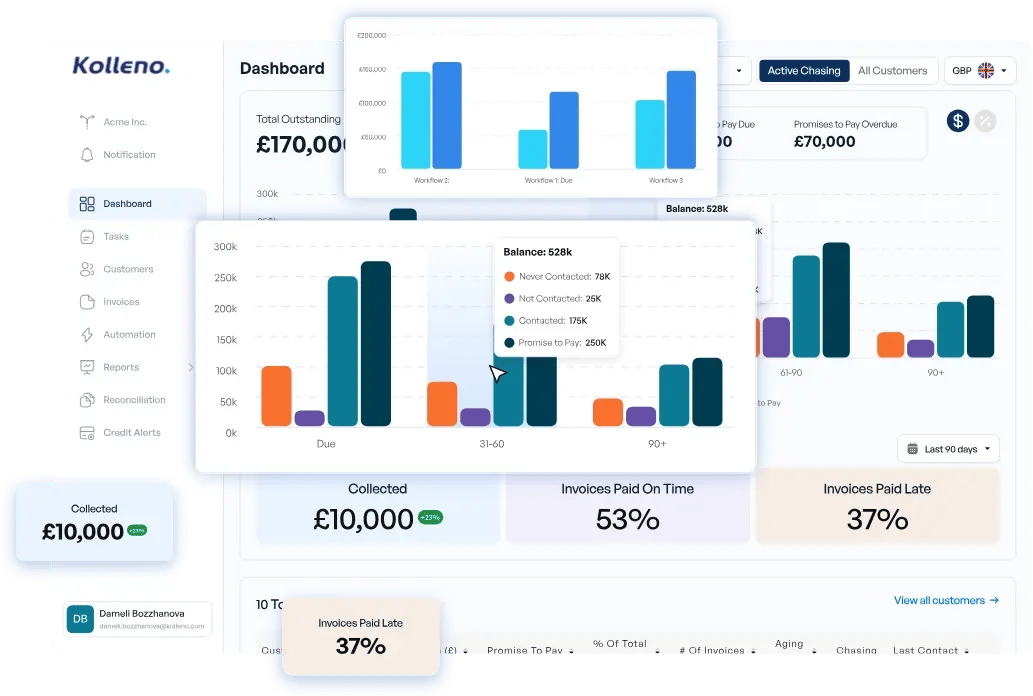
Kolleno’s matching engine scores incoming transactions against open invoices. It identifies confirmed and suggested matches across one-to-one, one-to-many, and many-to-one payment scenarios. The engine also accounts for foreign-exchange differences and bank charges.
Reconciliation sits in the same interface as collections and dunning. Kolleno lists connections with ERPs including SAP Business One and NetSuite, as well as payment processors such as GoCardless and Adyen.
More so, Kolleno states that customers can go live within two to four weeks with dedicated onboarding support. Treat this as vendor-stated and confirm what the timeline includes for your systems, entities, and payment channels.
As of August 2026, Kolleno held a 4.9 out of 5 rating across approximately 117 G2 reviews. Confirm the rating and review count before publication. Retain any conclusions about support, ease of use, tutorials, or mobile functionality only if they can be traced to a documented review analysis.
Kolleno’s matching engine scores incoming transactions against open invoices. It identifies confirmed and suggested matches across one-to-one, one-to-many, and many-to-one payment scenarios. The engine also accounts for foreign-exchange differences and bank charges.
Reconciliation sits in the same interface as collections and dunning. Kolleno lists connections with ERPs including SAP Business One and NetSuite, as well as payment processors such as GoCardless and Adyen.
More so, Kolleno states that customers can go live within two to four weeks with dedicated onboarding support. Treat this as vendor-stated and confirm what the timeline includes for your systems, entities, and payment channels.
As of August 2026, Kolleno held a 4.9 out of 5 rating across approximately 117 G2 reviews. Confirm the rating and review count before publication. Retain any conclusions about support, ease of use, tutorials, or mobile functionality only if they can be traced to a documented review analysis.
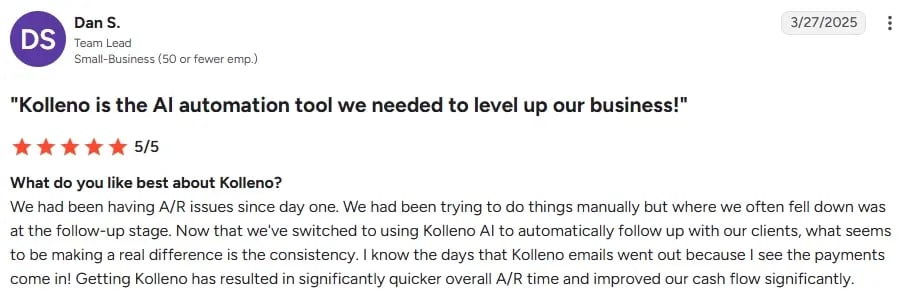
If you’re considering this option, ask Kolleno to demonstrate how it handles a partial payment after currency conversion. Confirm which results are applied automatically and which remain suggestions requiring human approval. The same distinction should be used when interpreting any published match rate.
7. Serrala
Best for SAP-centered organizations that want cash application embedded directly inside their SAP environment rather than bolted on as a separate system.
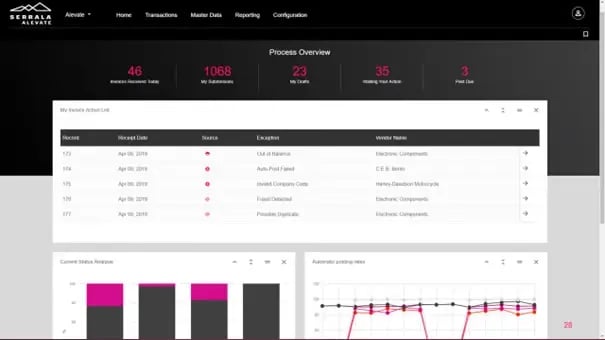
Serrala's FS² AutoBank runs as a certified SAP add-on for S/4HANA and earlier ECC environments, applying AI-assisted matching to incoming payments against cash allocation rules the finance team defines itself.
A separate cloud version extends the same matching approach to non-SAP and multi-ERP environments for organizations that need it, so SAP depth is not the only option, but it is where the product's heritage and deepest functionality sit.
For a business without significant SAP investment, the deepest parts of Serrala's functionality are not accessible, and a multi-ERP or ERP-agnostic platform is likely to fit the operational reality more closely. Serrala's treasury and payments modules sit on the same platform.
That means a finance function evaluating cash application alongside bank connectivity or in-house banking has a path to add those later without a second vendor relationship.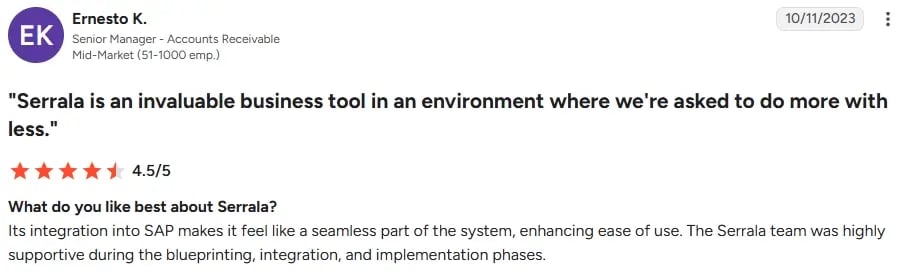
Serrala holds a 4.4 out of 5 rating from around 108 reviews on G2 (August 2026), with reviewers describing the SAP integration as a natural extension of the system and flagging the number of individual configuration steps as a source of complexity.
8. Upflow
Best for B2B finance teams that want collections automation and a dedicated cash application module in one platform, with a genuinely free entry tier.
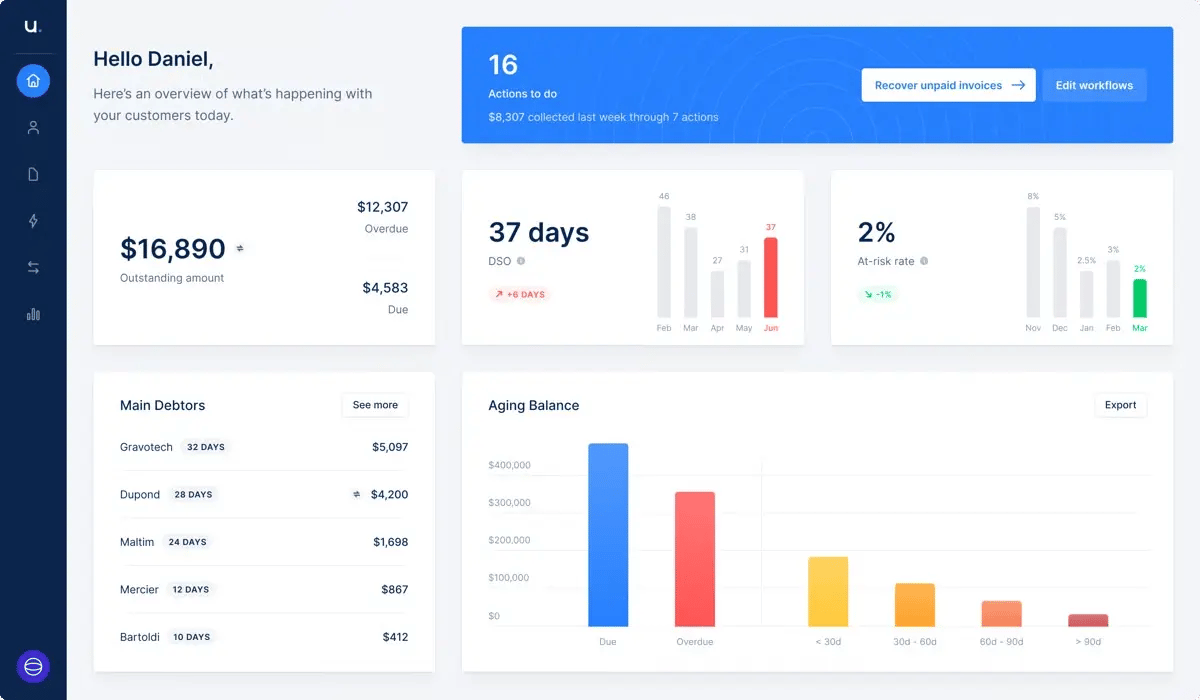
Upflow's cash application module connects directly to bank accounts and the accounting system, pulls in payment and remittance data, and uses AI-based matching to apply payments to the correct invoices before posting the matched result back to the ERP automatically.
Unmatched payments surface with suggested matches and configurable rules, so the AR team can resolve exceptions without leaving the platform. Integrations include NetSuite, Sage Intacct, QuickBooks, Xero, and Chargebee.
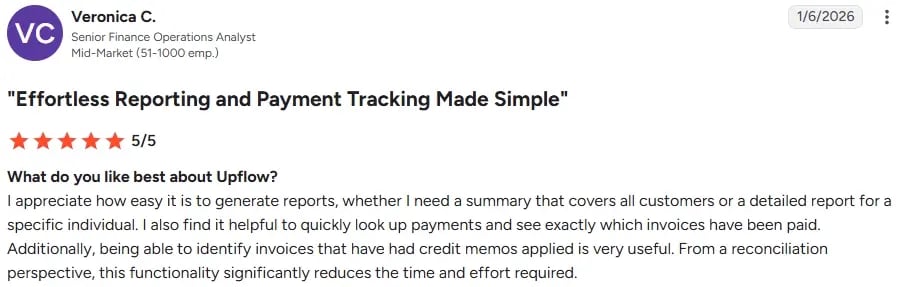
Upflow holds a 4.8 out of 5 rating from more than 234 reviews on G2 (August 2026), with reviewers praising ease of use and the free analytics tier; advanced reporting customization and multi-entity views are more frequent requests.
A team that also needs credit checking or a no-win-no-fee recovery path for aged debt will need a separate tool alongside Upflow, since neither currently sits inside the platform. The free Discover plan gives a finance team real visibility into aging and DSO before any automation spend is committed, which is a genuinely useful way to validate the case internally before a paid rollout.
9. Versapay
Best for mid-market B2B teams that want cash application paired with a collaborative customer portal.
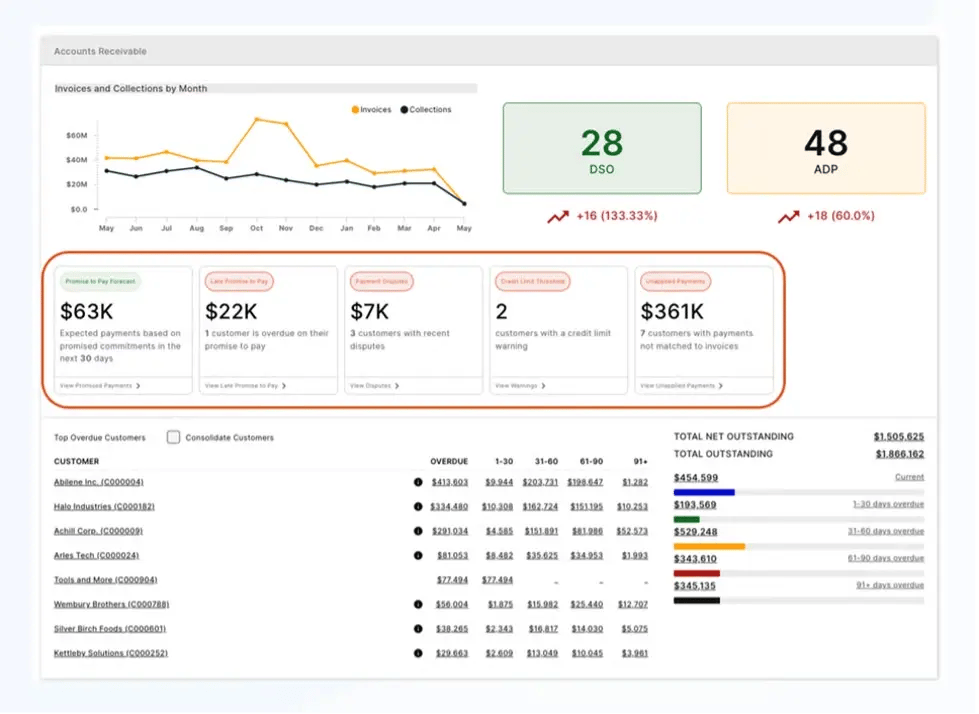
Versapay's AI-based matching reads remittance from lockbox files, emails, scanned documents, and AP portal pages to apply payments automatically, and payments made through its own network reconcile against the invoice at the point of payment.
Versapay integrates natively with Sage Intacct and connects to other ERPs and existing bank lockbox arrangements. Where Chaser's Payment Portal is built to prevent ambiguous payments before they reach the books, Versapay is built to resolve ambiguity collaboratively once a payment has already landed, through a portal both the AR team and the customer can access.
Neither approach removes the need for the other in every situation. Which one matters more depends on whether most of your ambiguous payments come from customers you can route through a controlled portal, or from payments that arrive already unclear through channels you do not control.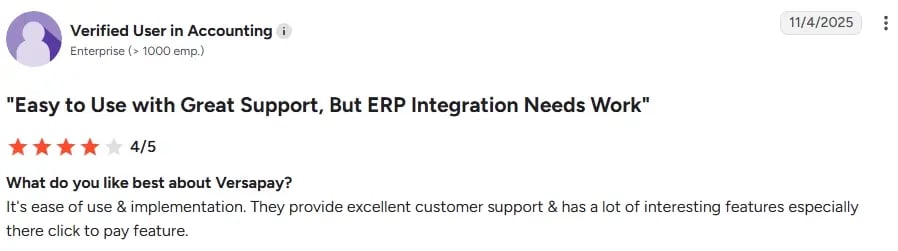
Versapay holds a 4.1 out of 5 rating from around 101 reviews on G2 (August 2026), with reviewers noting ease of implementation and payment processing as strengths.
Before signing with anyone on this list, ask them to demonstrate a genuinely difficult, real payment from your own remittance mix rather than a clean example invoice, and ask them to walk through exactly how their reported automation percentage was calculated.
.webp)