


















.svg.png?height=48&name=Zoho_CRM_(application).svg.png)







Dunning is the process of reminding customers, in planned and escalating steps, to pay invoices that are due or overdue. In B2B accounts receivable, a dunning process starts with a polite reminder around the due date, moves through firmer follow-ups at set intervals, and ends with a final notice before you escalate to a collection agency or legal action. Each step is called a dunning level, and the rules that decide when a customer moves from one level to the next are your dunning procedure. This guide explains how the dunning cycle works, shows an example dunning schedule, and walks through how SAP, NetSuite, Microsoft Dynamics 365 Business Central, and Sage Intacct handle dunning.
The short version
- What it is: a structured series of payment reminders that gets firmer the longer an invoice stays unpaid.
- How it works: each overdue invoice moves up through dunning levels based on days overdue, amount owed, and a minimum gap between reminders.
- Where it lives: SAP, NetSuite, Business Central, and Sage Intacct all have dunning built in. SAP allows up to 9 levels per procedure, NetSuite up to 15, and Business Central calls them reminder levels.
- What makes it work: following up on every overdue invoice, using more than one channel, and pausing when a customer raises a dispute.
What is dunning?
Dunning is the methodical process of communicating with customers to collect money they owe you. In accounts receivable, it covers every reminder you send after an invoice is issued, from a friendly note before the due date to a final notice before escalation. The messages themselves are called dunning notices or dunning letters, and they can go out by email, letter, text message, or phone call.
What separates dunning from ad hoc chasing is structure. A dunning process decides in advance:
- when the first reminder goes out, relative to the due date;
- how many follow-ups there are, and how many days apart;
- how the tone and content change at each step;
- which invoices are excluded, such as those in dispute or on a payment plan;
- what happens when the last reminder is ignored.
In the UK, the same work is also called credit control or invoice chasing. "Dunning" is the term SAP, NetSuite, and Sage Intacct use in their settings, so it's the word you'll meet when you configure an ERP.
Why is it called dunning?
The word comes from the verb "to dun", which Merriam-Webster defines as "to make persistent demands upon for payment". A "dun" is also a noun for a demand for payment. Merriam-Webster dates the verb to around 1648 and lists its origin as unknown.
B2B dunning vs subscription dunning
If you search for "dunning", many results come from subscription billing companies. They use the same word for a different problem. B2B dunning chases invoices that a business customer has to pay by bank transfer or another method. Subscription dunning deals with automatic card payments that fail. Recurly's documentation, for example, describes a cycle of "Payment Declined" emails and automatic payment retries, which can end with the subscription expiring.
| B2B invoice dunning | Subscription dunning | |
|---|---|---|
| Trigger | An invoice approaches or passes its due date | An automatic card or direct debit payment is declined |
| Who pays | A business customer's finance or accounts payable team | The subscriber, often an individual |
| Main action | Reminders that ask the customer to pay, often with a payment link | Automatic payment retries plus emails asking the customer to update card details |
| Typical channels | Email, phone, letter, text message | Email and in-app messages |
| End point | Final notice, then a collection agency or legal action | The subscription is paused, canceled, or expires |
The rest of this guide covers B2B invoice dunning.
How does the dunning process work?
The dunning process, or dunning cycle, runs from the moment you issue an invoice to the moment it is paid, escalated, or written off. A typical B2B dunning cycle has six steps.
- Agree terms before you invoice. The customer should know the due date, how to pay, and whether late fees or interest apply. Clear payment terms make every later reminder easier to send and harder to argue with.
- Send a pre-due reminder. A short, friendly note a few days before the due date catches invoices that are stuck in an approval queue or were sent to the wrong person.
- Remind on or just after the due date. The first overdue reminder assumes an oversight. It restates the amount, the invoice number, and how to pay.
- Escalate through dunning levels. Each further reminder is firmer. It may mention late fees or interest, move to a phone call, or copy in a more senior contact.
- Send a final notice. The last reminder sets a firm payment deadline and explains what will happen if it is missed.
- Escalate, agree a plan, or write off. If the final notice is ignored, you can send a formal demand letter, pass the debt to a collection agency, offer a payment plan, or, as a last resort, write it off as bad debt.
At any step, the process should stop the moment the invoice is paid, and pause if the customer raises a query or dispute.
What are dunning levels?
A dunning level is one step in the escalation. Each level has a trigger, usually a number of days overdue and sometimes a minimum amount, and a message, whose tone gets firmer as the level rises. Sage Intacct's documentation sums it up: communications "can progress from gentle reminders to more aggressive letters as accounts become more overdue".
There is no legal or industry standard for how many levels to use, or how far apart to space them. The table below is a common structure, a pre-due reminder plus four levels, with timing ranges you can adapt to your terms and customers.
| Dunning level | Timing | Tone | What the message does |
|---|---|---|---|
| Pre-due reminder | A few days before the due date | Friendly, helpful | Confirms the invoice arrived and the payment date, and includes a payment link |
| Level 1: reminder | From the due date to about 14 days overdue | Polite, assumes an oversight | States the amount and invoice number and asks the customer to pay or tell you if there is a problem |
| Level 2: follow-up | About 14 to 30 days overdue | Direct | Asks for a payment date, attaches a statement of all open invoices, and mentions any late fees or interest in your terms |
| Level 3: escalation | About 21 to 45 days overdue | Firm | Moves to a phone call or a more senior contact, and may put further orders on hold |
| Level 4: final notice | About 45 to 60 days overdue, or sooner on short terms | Formal | Sets a final deadline and explains the next step, such as a collection agency or legal action |
For wording you can use at each level, see these dunning letter templates, which cover the first reminder through to the final notice.
An example dunning schedule
Here is a tight version of that cycle, for an invoice dated Monday 5 October 2026 on 30-day terms, due on Wednesday 4 November 2026. The 7-day gaps between levels mirror the worked example in SAP's dunning training, which sets levels at 7, 14, 21, and 28 days in arrears.
| Date | Days from due date | Level | Channel |
|---|---|---|---|
| Friday 30 October 2026 | 5 days before | Pre-due reminder | Email with payment link |
| Wednesday 4 November 2026 | Due date | Level 1: reminder | |
| Wednesday 11 November 2026 | 7 days overdue | Level 1: second reminder | Email and text message |
| Wednesday 18 November 2026 | 14 days overdue | Level 2: follow-up | Email with statement attached |
| Wednesday 25 November 2026 | 21 days overdue | Level 3: escalation | Phone call, then a confirming email |
| Wednesday 2 December 2026 | 28 days overdue | Level 4: final notice | Email and letter |
| Wednesday 9 December 2026 | 35 days overdue | Escalation review | Decide: collection agency, payment plan, or legal action |
A schedule this tight suits shorter terms or high-value invoices. For longer terms, you can space the levels further apart, with the final notice closer to 45 to 60 days overdue. For more on spacing reminders, see how often to chase invoice payments.
Dunning rules to set before you automate
Dunning rules are the settings that decide which invoices get which reminder, and when. Whether you run dunning in an ERP, an accounts receivable tool, or a spreadsheet, you need to decide the same things.
- Level triggers. The number of days overdue that moves an invoice to each level. SAP and NetSuite both count from the invoice due date.
- Minimum amounts. A floor below which small balances don't trigger a higher level. SAP describes minimum amounts as a way to stop "relatively small overdue amounts" from triggering high dunning levels.
- Dunning interval. The minimum number of days between two reminders to the same customer, so nobody is chased twice in a week by accident.
- Grace days. A short buffer after the due date, so a payment that's already on its way doesn't trigger a reminder.
- Customer-level or invoice-level. Whether one reminder covers all of a customer's overdue invoices, or each invoice is chased on its own.
- Exclusions and pauses. Disputed invoices, invoices on a payment plan, and key accounts that a named person handles by phone.
- Segments. Different schedules for different customer groups, for example a gentler cycle for long-standing customers and a tighter one for repeat late payers.
- Fees and interest. Which level, if any, adds a late fee or interest, and whether your contract allows it.
- Escalation owner. Who decides what happens after the final notice, and how quickly.
How dunning works in ERP and accounting systems
SAP, NetSuite, Business Central, and Sage Intacct all include a dunning feature. They use different names for the same ideas, and they differ in how many levels you can set and what each level can do. The summary below is based on each vendor's own documentation, checked on 25 September 2026.
| System | What it's called | Levels | Notable settings |
|---|---|---|---|
| SAP S/4HANA | Dunning procedure, dunning levels, dunning run | Up to 9 per procedure | Dunning interval, line item grace period, minimum amounts, dunning charges, interest, dunning blocks |
| Oracle NetSuite | Dunning procedures and dunning level rules, through the Dunning Letters SuiteApp | Up to 15 per procedure | Customer, invoice, or invoice group dunning; reminders up to 99 days before the due date; pause and resume |
| Microsoft Dynamics 365 Business Central | Reminder terms and reminder levels | Any number; Microsoft notes most companies use two or three | Grace period, additional fees, interest, finance charge memos, automated reminders |
| Sage Intacct | Dunning levels, also called dunning definitions | No limit stated in Sage's API documentation | Minimum and maximum days overdue, minimum and maximum amounts, a print and email template per level |
What is dunning in SAP?
In SAP S/4HANA, dunning is run by the dunning program, which selects overdue items, assigns each one a dunning level, and produces dunning notices. According to SAP's configuration course, the main settings are:
- Dunning procedure: entered in each customer's master data. It holds the dunning interval, the number of levels, the line item grace period, and the minimum days in arrears.
- Dunning levels: up to nine per procedure. The days in arrears decide each item's level, and an item's level can only rise by one at a time, so levels can't be skipped.
- Charges and minimum amounts: dunning charges can be a fixed amount or a percentage of the dunned amount, set per level and currency. Minimum amounts stop small balances reaching high levels.
- Blocks and keys: dunning block reasons stop an account or item from being dunned, and dunning keys limit how an item is dunned or show it separately on the notice.
In S/4HANA you run dunning from the Create Dunning Notices app. Negative days in arrears are allowed, so SAP can also send a reminder before the due date.
Dunning in NetSuite
NetSuite handles dunning through the Dunning Letters SuiteApp, which Oracle says you buy through your NetSuite account manager. You create dunning level rules, which set the days overdue and the amount thresholds, then add them as levels to a dunning procedure, with a letter template for each level. A procedure can hold up to 15 levels.
- Days overdue always count from the transaction's due date. Enter a negative number, from -1 to -99, to send a reminder before payment is due.
- You can dun at customer level, invoice level, or invoice group level.
- A procedure can require the invoice amount AND the total overdue balance to meet a level's threshold, or either one. In Oracle's own example, the same customer lands on level 1 under the first rule and level 2 under the second.
- You can pause dunning while you deal with a customer's query, then resume it.
Dunning in Microsoft Dynamics 365 Business Central
Business Central calls the same feature reminder terms and reminder levels. Each reminder term has a set of levels, and each level sets when the reminder is issued, what fees to charge, whether to calculate interest, and a grace period so you don't remind a customer about a bill they've already paid. You can create any number of levels, although Microsoft notes that most companies use two or three. If you want to charge interest without sending a reminder, Business Central uses a separate finance charge memo.
Dunning in Sage Intacct
In Sage Intacct, a dunning level defines a range of days overdue and a range of overdue amounts, and acts as a filter when you print or email dunning notices. You can give each level its own print and email template, so the tone can change with how overdue the customer is or how much they owe, as Sage's developer documentation explains.
Running dunning alongside your ERP
ERP dunning is built around levels and letters. If you want more than that, such as reminders sent from a real person's email address, text messages and calls in the same sequence, a payment link in every message, and replies tracked against each invoice, that's where an accounts receivable tool that syncs with your ERP comes in. Chaser connects directly to NetSuite, Business Central, and Sage Intacct, and works with SAP through a data import.
Dunning letters and dunning notices
A dunning letter, or dunning notice, is the message sent at each dunning level. They can go by email, post, or both. Each one should include the invoice number, amount, due date, days overdue, how to pay, and who to contact with a question. The wording should get firmer at each level without becoming rude. For ready-to-use wording for each stage, go to the dunning letter templates. For the formal final step before legal action, use a demand letter for payment.
Is dunning legal?
Yes. Asking a customer to pay what they owe, in writing and on a schedule, is a normal part of doing business. What you can add to the process, and how you escalate, depends on where you are and who your customer is.
- UK, business customers: under the Late Payment of Commercial Debts (Interest) Act 1998, you can claim statutory interest, which GOV.UK describes as 8% plus the Bank of England base rate, plus a fixed sum of £40, £70, or £100 GBP per invoice depending on its size. Your dunning notices can say so. See the guide to late payment fees for how to apply them.
- UK, sole traders and individuals: before you start court proceedings, the Pre-Action Protocol for Debt Claims applies. It covers any business claiming a debt from an individual, including a sole trader, but not debts between two companies.
- US, business customers: the Fair Debt Collection Practices Act defines a debt as an obligation of a consumer for "personal, family, or household purposes" (15 U.S.C. § 1692a), so it does not cover business-to-business invoices. Late fees and interest still depend on your contract and your state's laws.
Dunning best practices
Follow up on every overdue invoice
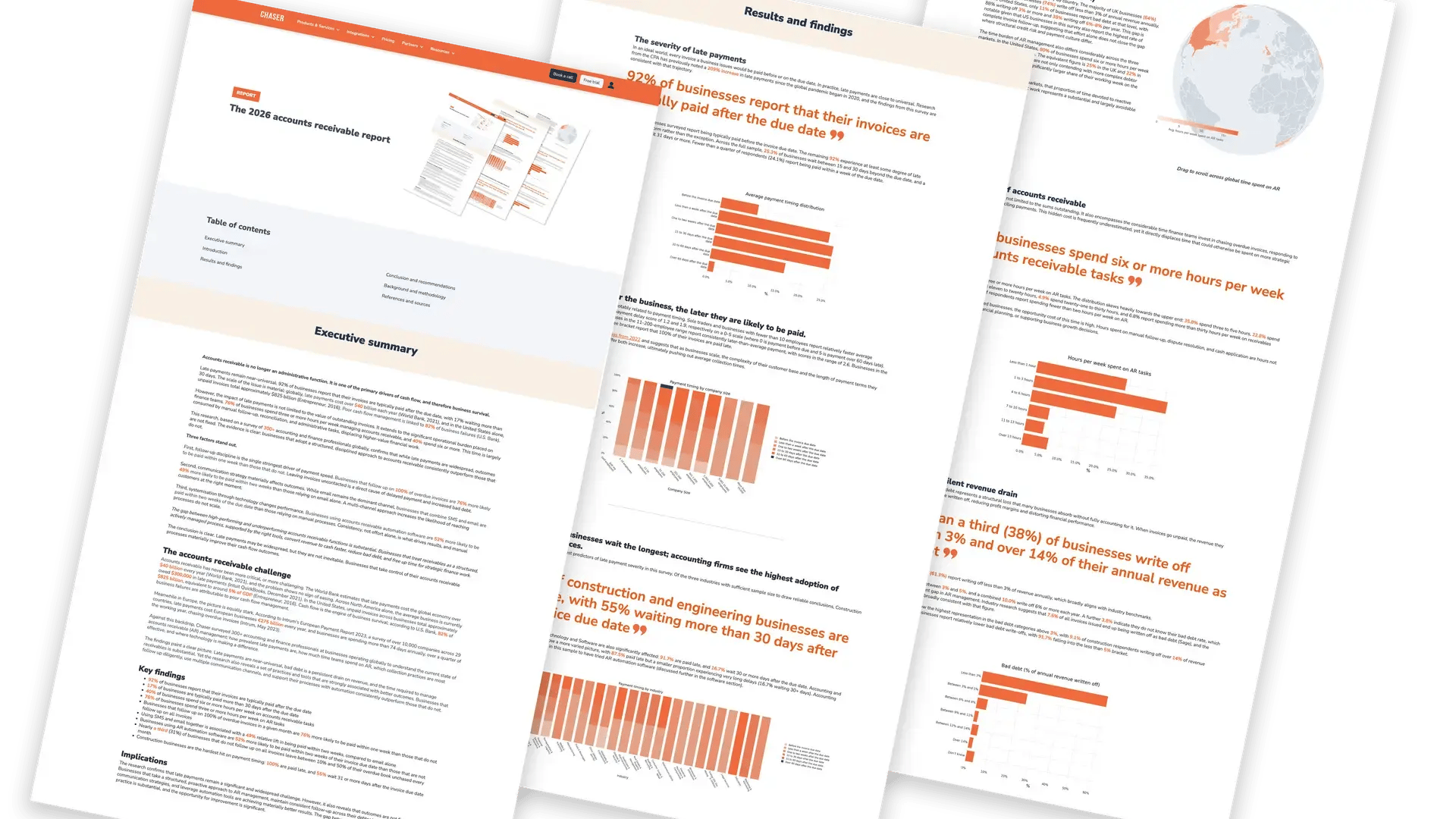
A dunning process only works if it reaches every overdue invoice. In Chaser's 2026 accounts receivable report, businesses that followed up on 100% of their overdue invoices were 76% more likely to be paid within one week of the due date than those that did not. Yet 31% of the businesses surveyed did not follow up on all overdue invoices each month. Automated dunning closes that gap, because no invoice depends on someone remembering it.
Use more than one channel
Email is the default, but it shouldn't be the only channel. The same report found that businesses using both text messages and email for payment reminders were paid within two weeks 73% of the time, compared with 49% for businesses using email alone. Add a phone call at the escalation level, where a conversation can bring out a problem that another email won't.
Start before the due date
A pre-due reminder isn't chasing. It's a check that the invoice reached the right person and is approved for payment. It gives your customer time to fix a problem before the invoice becomes late.
Make it easy to pay
Every dunning notice should include a way to pay. A payment link in the message removes a step for the customer. If a customer can't pay in full, a payment plan with scheduled installments keeps money coming in where another reminder wouldn't.
Pause for disputes, and stop the moment they pay
A final notice for an invoice a customer has already paid, or has told you is wrong, can damage the relationship. Build a pause into your process for disputes and queries, and make sure reminders stop as soon as a payment is recorded.
Keep the tone human
Your reminders should read like a message from a person, not a system. Send from a named person's email address, use the customer's name, and keep each message short.
Review your process regularly
Customers, terms, and team capacity change. Review your dunning schedule against the metrics below at least once a quarter, and adjust the levels that aren't moving invoices.
How to measure your dunning process
The Credit Research Foundation sets out standard measures for collection performance. These are the ones that show whether your dunning is working.
| Metric | Formula | What it tells you |
|---|---|---|
| Days sales outstanding (DSO) | Ending total receivables × days in period ÷ credit sales for the period | How long, on average, it takes to turn receivables into cash |
| Best possible DSO | Current (not overdue) receivables × days in period ÷ credit sales for the period | Your DSO if no invoice were late |
| Average days delinquent (ADD) | DSO − best possible DSO | The average number of days invoices are past due: the part dunning can reduce |
| Collection effectiveness index (CEI) | (Beginning receivables + credit sales − ending total receivables) ÷ (beginning receivables + credit sales − ending current receivables) × 100, for one month | How much of what you could have collected, you did collect. Closer to 100% is better |
| Percent current | Ending current receivables ÷ total receivables | The share of your ledger that isn't overdue |
| Percent over 91 days | Receivables over 90 days ÷ total receivables | How much is stuck at the end of the cycle |
Worked example
Over a 90-day quarter, you make $300,000 USD of credit sales and end with $150,000 USD of receivables, of which $100,000 USD is not yet due. DSO is 150,000 × 90 ÷ 300,000 = 45 days. Best possible DSO is 100,000 × 90 ÷ 300,000 = 30 days. Average days delinquent is 45 − 30 = 15 days. Those 15 days are what a tighter dunning process targets.
Alongside these, track two operational numbers of your own: the share of overdue invoices that received a reminder this month, and how many invoices reach your final notice. An accounts receivable aging report shows where overdue invoices are building up by age.
Dunning software
You can run a small dunning process from your accounting system and a calendar. As volumes grow, most teams automate it, either with their ERP's dunning module or with dedicated accounts receivable software that sits on top of it. If you're comparing tools, see this guide to debt collection software, which covers automated dunning features and what to look for.
How Chaser automates the dunning process
Chaser syncs your invoices from your accounting system or ERP and runs your dunning schedule for you, so every overdue invoice is followed up without a spreadsheet. With Chaser, you can:
- set reminder schedules based on due dates and customer segments, from key accounts to repeat late payers;
- send reminders from your own email address, with your signature and branding, so they read like a message from you;
- combine email with text messages, automated calls, and letters in one sequence;
- include a payment link in every reminder, and thank customers automatically when they pay;
- group several invoices into one reminder, and stop chasing invoices that are already paid;
- escalate unpaid invoices to Chaser's no-win, no-fee debt collection service without leaving the app.
Put your dunning process on autopilot
Chaser connects to your accounting system or ERP and follows up on every overdue invoice with polite, personalized reminders, so you get paid faster without adding hours to your week.
Start your free trial Book a demoThis article is general guidance for businesses, not legal advice. Debt recovery rules depend on your contract, your customer, and your jurisdiction. For advice on a specific debt, speak to a qualified solicitor or attorney.
FAQs
What does dunning mean in accounts receivable?
Dunning is the process of reminding customers, in planned and escalating steps, to pay invoices that are due or overdue. It starts with a polite reminder around the due date and ends with a final notice before the debt is passed to a collection agency or taken to court.
Why is it called a dunning notice?
It comes from the verb "to dun", which Merriam-Webster defines as "to make persistent demands upon for payment". The verb dates to around 1648, and its origin is unknown.
What is the dunning process?
The dunning process is the sequence of steps you follow to collect an unpaid invoice: agree payment terms, send a pre-due reminder, remind on the due date, escalate through firmer dunning levels, send a final notice, and then escalate, agree a payment plan, or write the debt off.
What does dunning cycle mean?
The dunning cycle is the full run of reminders for one invoice or customer, from the first reminder to payment, escalation, or write-off. Its length depends on how many dunning levels you use and the number of days between them, for example four levels spaced seven days apart.
What are the four stages of a dunning letter?
There is no fixed standard, but a common series is an overdue reminder at 7 to 14 days overdue, a firmer reminder at 21 to 30 days, a final notice at 45 to 60 days, and a letter before action if the final notice is ignored. Each stage gets firmer in tone while staying professional.
What is meant by dunning in SAP?
In SAP, dunning is the automated program that selects overdue customer items, assigns each a dunning level based on days in arrears, and produces dunning notices. It is controlled by a dunning procedure, which can have up to nine dunning levels, plus settings for intervals, grace periods, minimum amounts, and charges.
What happens if you get a dunning notice?
A dunning notice means the sender's records show an invoice as overdue. Check the invoice against your own records, then either pay it, agree a payment date, or tell the sender why you are not paying, for example because of a dispute. Ignoring it usually leads to firmer notices, fees or interest if the terms allow them, and eventually collection action.
Is a dunning letter legal?
Yes. Sending a business customer written reminders to pay an invoice is legal in both the UK and the US. The rules govern what you add and how you escalate: late fees and interest must be allowed by law or your contract, and debts owed by individuals and sole traders carry extra pre-court steps in the UK and consumer protections in the US.
ERP details checked against SAP, Oracle NetSuite, Microsoft, and Sage documentation, and legal points against legislation.gov.uk, GOV.UK, and the US Code, on 25 September 2026. Last reviewed 25 September 2026.